
آموزش pseudo elements در CSS

آموزش pseudo elements در CSS


شما میتوانید به بخشی از یک المان، تعدادی ویژگی اعمال کنید. برای مثال خط اول یک پاراگراف را به رنگ دیگری تبدیل کنید.

اول یک قطعه کد html و css بنویسیم.


<!DOCTYPE html>
<html>
<head>
  <title>lesson6</title>
  <meta charset="utf-8">
  <link rel="stylesheet" type="text/css" href="lesson6.css">
</head>
<body>
<div>
  <div>
    I'm a student
    I'm a student
    I'm a student
  </div>

  <div>
    I'm a teacher
    I'm a teacher
    I'm a teacher
  </div>

  <div>
    I'm a doctor
    I'm a doctor
    I'm a doctor
  </div>

</div>
</body>
</html>


div{
  background-color: pink;
}
آموزش pseudo element
 

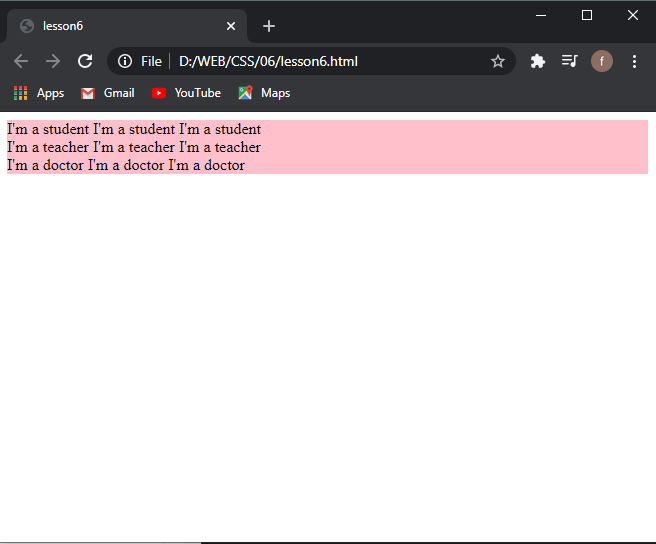
میبینید که کل جملات پشت سر هم قرار میگیرند. قبلا یاد گرفتیم که از تگ <br> برای رفتن به خط بعد استفاده کنیم. ولی بیاید اینبار از تگ <pre> استفاده کنیم.


<!DOCTYPE html>
<html>
<head>
  <title>lesson6</title>
  <meta charset="utf-8">
  <link rel="stylesheet" type="text/css" href="lesson6.css">
</head>
<body>
<div>
  <div>
    <pre>I'm a student
    I'm a student
    I'm a student</pre>
  </div>

  <div>
    <pre>I'm a teacher
    I'm a teacher
    I'm a teacher</pre>
  </div>

  <div>
    <pre>I'm a doctor
    I'm a doctor
    I'm a doctor</pre>
  </div>

</div>
</body>
</html>


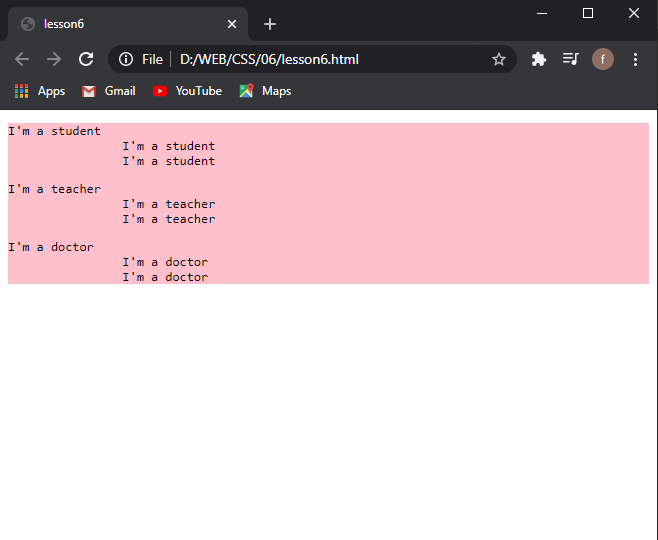
میبینید که تگ <pre> تمام space ها را هم در نظر میگیرد. مانند خط دوم و سوم هر div که به تعداد spaceی که قرار دارد، جلوتر چاپ شده است.
آموزش pseudo elements در css
 

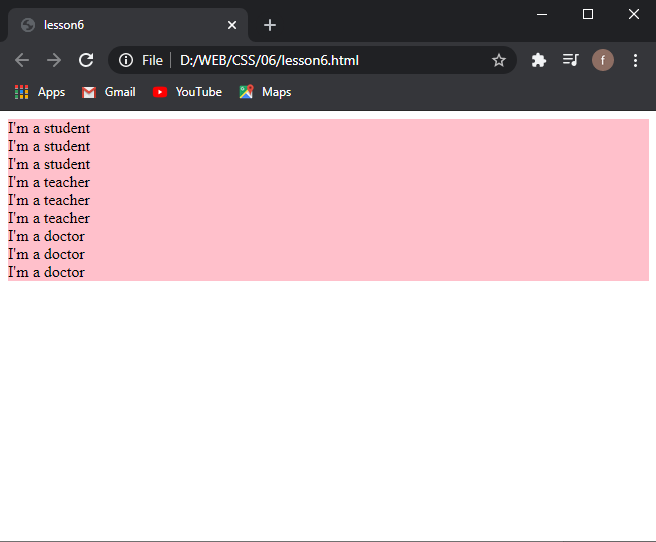
ولی بیاید فعلا از تگ <br> استفاده کنیم.


<!DOCTYPE html>
<html>
<head>
  <title>lesson6</title>
  <meta charset="utf-8">
  <link rel="stylesheet" type="text/css" href="lesson6.css">
</head>
<body>
<div>
  <div>
    I'm a student<br>
    I'm a student<br>
    I'm a student
  </div>

  <div>
    I'm a teacher<br>
    I'm a teacher<br>
    I'm a teacher
  </div>

  <div>
    I'm a doctor<br>
    I'm a doctor<br>
    I'm a doctor
  </div>

</div>
</body>
</html>
pseudo element در css
 

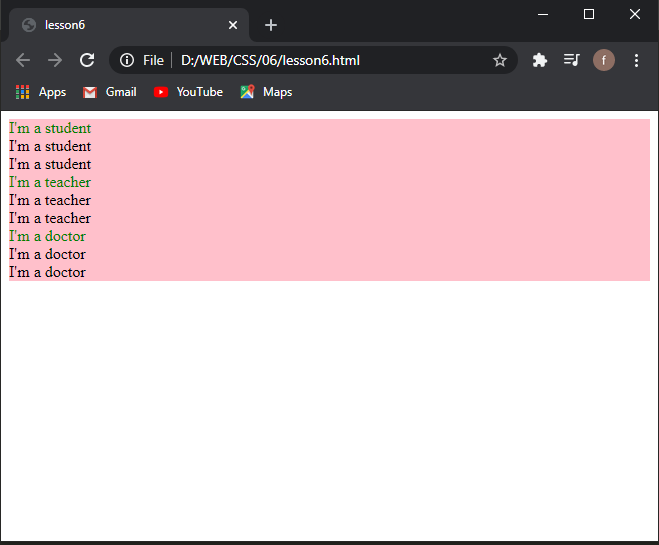
حال برای اعمال تغییرات توسط pseudo elements باید به صورت div::firstiline{ } تعریف کنیم. First-line تنها خط اول هر div را تغییر میدهد.


div{
  background-color: pink;
}

div::first-line{
  color: green;
}
pseudo element در html css
 

فراموش نکنید که برای تعریف pseudo elements دوبار :: استفاده کنید و برای pseudo classes یک بار : استفاده کنید.

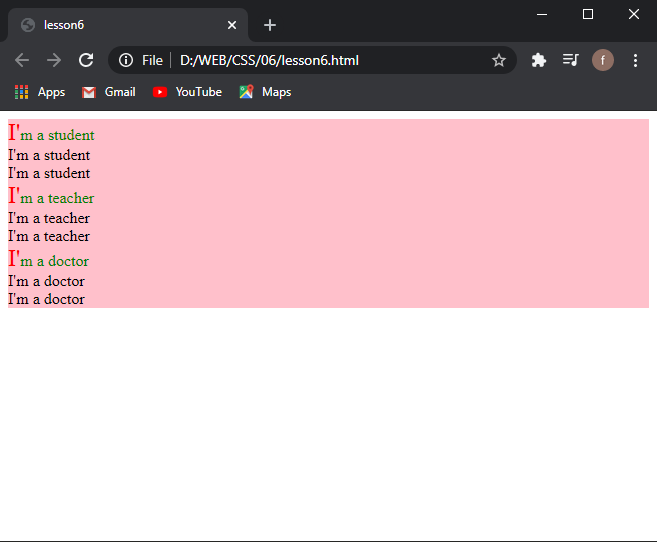
حال میتوانیم اولین حروف را با دستور first-letter تغییر دهیم. برای مثال رنگ آنها را قرمز و یا font-size را بزرگتر کنیم.


div{

background-color: pink;

}

div::first-line{

color: green;

}
div::first-letter{

color: red;

font-size: x-large;

}
pseudo element چیست
 

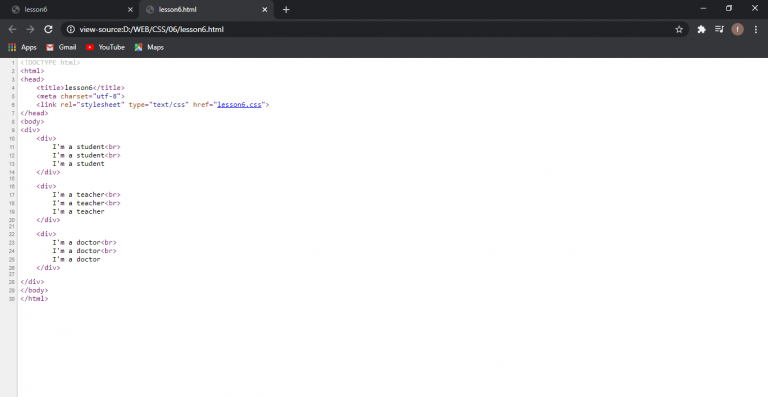
شما میتوانید همچنین در مرورگر، کد های خود را ببینید.

کافیست ctrl + u بزنید تا صفحه زیر باز شده و کد خود را ببینید.
pseudo elment در css
 

برای دیدن آموزش های بیشتر جزوات CSS را دنبال کنید.

 

قسمت قبل آموزش (آموزش pseudo classes در CSS)

قسمت بعد آموزش (آموزش class و id در CSS)

ارسال دیدگاه

نشانی ایمیل شما منتشر نخواهد شد. بخش‌های موردنیاز علامت‌گذاری شده‌اند *


Warning: file_put_contents(): Only 263784 of 451276 bytes written, possibly out of free disk space in /home/farkia/domains/farkiantech.com/public_html/wp-content/plugins/litespeed-cache/src/file.cls.php on line 177

Warning: file_put_contents(): Only -1 of 508 bytes written, possibly out of free disk space in /home/farkia/domains/farkiantech.com/public_html/wp-content/plugins/litespeed-cache/src/file.cls.php on line 177

Warning: file_put_contents(): Only -1 of 5860 bytes written, possibly out of free disk space in /home/farkia/domains/farkiantech.com/public_html/wp-content/plugins/litespeed-cache/src/file.cls.php on line 177

Warning: file_put_contents(): Only -1 of 1558916 bytes written, possibly out of free disk space in /home/farkia/domains/farkiantech.com/public_html/wp-content/plugins/litespeed-cache/src/file.cls.php on line 177

Warning: file_put_contents(): Only -1 of 60262 bytes written, possibly out of free disk space in /home/farkia/domains/farkiantech.com/public_html/wp-content/plugins/litespeed-cache/src/file.cls.php on line 177

Warning: file_put_contents(): Only -1 of 26702 bytes written, possibly out of free disk space in /home/farkia/domains/farkiantech.com/public_html/wp-content/plugins/litespeed-cache/src/file.cls.php on line 177

Warning: file_put_contents(): Only -1 of 6435 bytes written, possibly out of free disk space in /home/farkia/domains/farkiantech.com/public_html/wp-content/plugins/litespeed-cache/src/file.cls.php on line 177

Warning: file_put_contents(): Only -1 of 1051 bytes written, possibly out of free disk space in /home/farkia/domains/farkiantech.com/public_html/wp-content/plugins/litespeed-cache/src/file.cls.php on line 177

Warning: file_put_contents(): Only -1 of 58071 bytes written, possibly out of free disk space in /home/farkia/domains/farkiantech.com/public_html/wp-content/plugins/litespeed-cache/src/file.cls.php on line 177

Warning: file_put_contents(): Only -1 of 983 bytes written, possibly out of free disk space in /home/farkia/domains/farkiantech.com/public_html/wp-content/plugins/litespeed-cache/src/file.cls.php on line 177

Warning: file_put_contents(): Only -1 of 975 bytes written, possibly out of free disk space in /home/farkia/domains/farkiantech.com/public_html/wp-content/plugins/litespeed-cache/src/file.cls.php on line 177

Warning: file_put_contents(): Only -1 of 611 bytes written, possibly out of free disk space in /home/farkia/domains/farkiantech.com/public_html/wp-content/plugins/litespeed-cache/src/file.cls.php on line 177

Warning: file_put_contents(): Only -1 of 237 bytes written, possibly out of free disk space in /home/farkia/domains/farkiantech.com/public_html/wp-content/plugins/litespeed-cache/src/file.cls.php on line 177

Warning: file_put_contents(): Only -1 of 14002 bytes written, possibly out of free disk space in /home/farkia/domains/farkiantech.com/public_html/wp-content/plugins/litespeed-cache/src/file.cls.php on line 177

Warning: file_put_contents(): Only -1 of 214 bytes written, possibly out of free disk space in /home/farkia/domains/farkiantech.com/public_html/wp-content/plugins/litespeed-cache/src/file.cls.php on line 177

Warning: file_put_contents(): Only -1 of 77 bytes written, possibly out of free disk space in /home/farkia/domains/farkiantech.com/public_html/wp-content/plugins/litespeed-cache/src/file.cls.php on line 177

Fatal error: Uncaught ErrorException: md5_file(/home/farkia/domains/farkiantech.com/public_html/wp-content/litespeed/js/6e751ac4adc775da3bc4121c0948ea94.js.tmp): failed to open stream: No such file or directory in /home/farkia/domains/farkiantech.com/public_html/wp-content/plugins/litespeed-cache/src/optimizer.cls.php:148 Stack trace: #0 [internal function]: litespeed_exception_handler(2, 'md5_file(/home/...', '/home/farkia/do...', 148, Array) #1 /home/farkia/domains/farkiantech.com/public_html/wp-content/plugins/litespeed-cache/src/optimizer.cls.php(148): md5_file('/home/farkia/do...') #2 /home/farkia/domains/farkiantech.com/public_html/wp-content/plugins/litespeed-cache/src/optimize.cls.php(842): LiteSpeed\Optimizer->serve('https://farkian...', 'js', true, Array) #3 /home/farkia/domains/farkiantech.com/public_html/wp-content/plugins/litespeed-cache/src/optimize.cls.php(392): LiteSpeed\Optimize->_build_hash_url(Array, 'js') #4 /home/farkia/domains/farkiantech.com/public_html/wp-content/plugins/litespeed-cache/src/optimiz in /home/farkia/domains/farkiantech.com/public_html/wp-content/plugins/litespeed-cache/src/optimizer.cls.php on line 148